Voxel Block Builder How to Build Better
Placement craft, mining revisions, and layouts that still look good tomorrow.
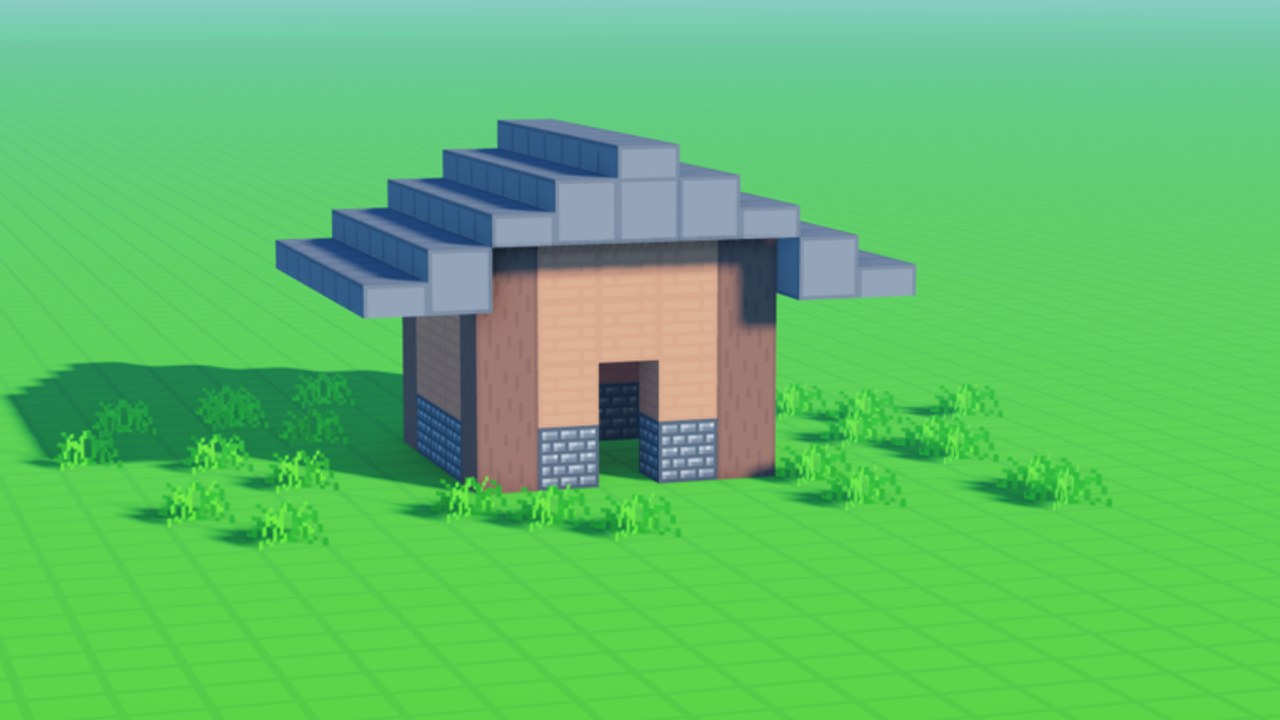
Building in Voxel Block Builder rewards rhythm more than raw speed. This guide turns the basic Inventory → select → place → pickaxe loop into a craft you can repeat on public servers or in Personal Worlds. If you are brand new, skim Getting Started first, then return here for technique.
Mindset: place fast, revise on purpose
Every structure is a draft until you choose to keep it. Place boldly to find the silhouette, then equip the pickaxe to carve windows, fix seams, and hollow interiors. Players who refuse to mine create awkward blobs; players who only mine never finish. Alternate in short cycles: two minutes placing, thirty seconds revising.
Keep the build checklist open in a browser tab if you like structured sessions. Pair saves with the world save checklist so a great draft is not stranded on a temporary public plot.
Inventory discipline
- Cluster similar materials mentally: solids, accents, glass, specialty event blocks.
- Select the block before you aim; hesitation causes misclicks into the wrong cell.
- When a pack expands your palette—Rainbow Block Pack or Colored Glass Pack—assign roles (primary, trim, glow) instead of rainbow-splashing every face. Pass details live on Game Passes and rankings on the Game Pass tier list.
- Track new weekly pieces via weekly blocks and the blocks encyclopedia.
Placement fundamentals
Foundations first
Lay a flat pad or grid larger than the final footprint. Foundations catch errors early and give staircases somewhere honest to land. On uneven public terrain, build a raft of blocks to create your own level.
Walls and corners
Raise walls one layer at a time around the pad. Corners are where silhouettes read clearly—use a contrasting block so the eye can parse depth. Step back (or fly later if you own Fly Ability [OP]) to judge proportions before adding roofs.
Roofs and overhangs
Pyramid, slab, or asymmetrical shed roofs all work in voxels. Overhangs of one block hide wall-top seams. Glass packs shine in clerestory strips; do not glass an entire cathedral on day one unless you love interior glare.
Negative space
Doorways, courtyards, and air gaps make builds breathe. Mine openings deliberately rather than leaving accidental holes.
Mining like an editor
The default pickaxe is already an undo tool. Bombastic Pickaxe (99 Robux) extends mining distance (2×) and adds effects—helpful for skyscraper revisions, not mandatory for houses. Mine in straight corridors when hollowing floors so you do not softlock your avatar in a one-block tomb. If you need more movement while editing, 2x Sprint Speed (49) is a quality-of-life pickup discussed beside fly on the passes page.
Composition recipes (steal these)
- Micro landmark — 7×7 footprint, two-story tower, accent roof, torch-equivalent glow blocks if available.
- Street slice — three storefronts sharing a sidewalk; great for public co-op (max 18 players).
- Palette island — rings of materials from your inventory to screenshot comparisons before a big project.
- Pet path — a looping track where Verity can roll and follow when equipped; fun after the Verity update.
- Dimension teaser — a portal-styled facade if you own or plan The Blue Dimension (29); lore-adjacent notes on Blue Dimension.
Team builds on public servers
Call out zones: “I own north wall, you own roof.” Agree on a three-color palette before anyone places fifty neon blocks. When the session ends, recreate hero pieces inside a Personal World if you want permanence. Co-op is online and social; persistence is a Personal World habit.
Using height and flight responsibly
Without fly, build scaffolds you can mine later. With Fly Ability [OP] (299 Robux, Press F / mobile fly button), inspect roofs and place floating islands—but still keep a grounded entrance so non-fly friends can visit. Controls reference: controls.
Weekly blocks and seasonal spice
When Goober Labs adds weekly blocks for players who like/favorite, incorporate one new material per project so your gallery shows evolution instead of clutter. Read update writeups, then apply them here—not the other way around.
Codes are not a build strategy
The Codes Hub currently has no reliable active codes. Do not pause a roof because a random thumbnail promised free rainbow packs. If a real code appears, redeem with how to redeem and keep building. Discovery habits: finding new codes.
Safety and focus
Ignore executors that claim to auto-build (scripts hub for context). Your hands are the feature. Official news lives on official links. Pets overview for companions: pets.
A sample 45-minute session plan
- Warm-up pad (5 min)
- Silhouette walls (15 min)
- Mining pass for windows and interior (10 min)
- Accent materials + roof (10 min)
- Screenshot + Personal World save (5 min)
Repeat tomorrow with a different palette. Improvement compounds when sessions end on a save, not on a shop tab.
Ship ugly drafts faster than perfect plans. Voxel Block Builder celebrates the builder who iterates in public and archives the winners in a Personal World—the pickaxe is your red pen, and the inventory is your palette box.
Frequently Asked Questions
Quick answers about Voxel Block Builder on Roblox.
What is the fastest way to improve building skill?
Run short place-then-mine cycles on small footprints, then save successes in a Personal World for comparison.
Do I need Rainbow or Glass packs to build well?
No. Packs expand palette options. Strong silhouettes matter more than owning every color on day one.
When should I buy Bombastic Pickaxe?
Consider it when you often revise tall or thick structures and want 2× mining distance. It is optional for small homes.
How do weekly blocks change building?
They add fresh materials over time if you engage with likes/favorites. Introduce them as accents so older builds still feel coherent.
Can friends help on my Personal World builds?
Use public servers for live co-op jams, then port key designs into Personal Worlds when you need a persistent gallery.