Voxel Block Builder Links Hub
Verified starting points for the Roblox experience, Goober Labs creator checks, and essential wiki hubs.
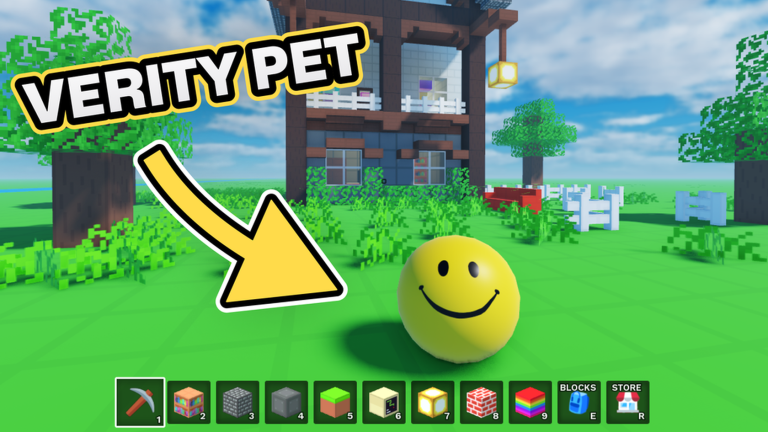
The Links Hub is the safe doorway into Voxel Block Builder on Roblox. Bookmark it when lookalike experiences, fake “gift” sites, or random chat invites try to pull you off-course. We highlight the official game page, explain how to verify Goober Labs creator/group destinations without inventing social URLs, and route you into the rest of this unofficial fan wiki.
Voxel Block Builder is a released builder from Goober Labs with Personal Worlds, Verity Pets, weekly blocks, and Game Passes such as Fly, Rainbow Block Pack, Colored Glass, 2x Sprint, Bombastic Pickaxe, and Blue Dimension. Correct links keep those systems in reach; wrong links feed phishing.
Primary link page
- Official Links — Roblox experience URL, how to confirm the creator, and a short scam-spotting guide for social buttons that appear around popular games.
Start there whenever you reinstall Roblox, switch devices, or suspect a friend sent a fake play link.
Official vs wiki vs random community
| Source type | What it is good for | Caution |
|---|---|---|
| Roblox experience page | Playing, Passes, creator/group buttons | Ignore third-party popups overlaid by browsers/extensions |
| Goober Labs creator/group (from the experience page) | Announcements the developer actually controls | Do not trust renamed groups that merely include “Goober” |
| This fan wiki | Codes tracking, guides, checklists, Pass context | Unofficial—never asks for your password |
| Random discords / “script” chats | Usually noise | High phishing and malware risk; see Script Safety |
We intentionally do not invent Discord, Twitter/X, or YouTube channel URLs here. If Goober Labs surfaces socials, they will appear as buttons or text on the Roblox experience or the linked creator/group pages. Follow those, not screenshots in stranger DMs.
Wiki destinations worth starring
- Codes — active promo tracking (sometimes zero codes).
- Guides — onboarding and how-to play loops.
- Items — pets, blocks, and collectible-oriented pages.
- Tier List — Pass and priority comparisons.
- Scripts Hub — feature-claim overviews with strong warnings (no code dumps).
- Tools Hub — build and Personal Worlds checklists.
- Updates — patch and weekly block context.
Together these hubs cover the search intents players actually type while keeping you inside safer workflows.
How to verify a Roblox link in 20 seconds
- Confirm the domain is
roblox.com(or the official Roblox app deep link). - Open Official Links and compare the experience ID path to what you clicked.
- Check that the creator line reads as Goober Labs (or the current official creator label on that page).
- Be suspicious of URLs with extra hyphens, odd subdomains, or “robIox” letter substitutions.
- Never log in through an intermediate “free Pass” website.
When community links are useful
Fan showcases, build galleries, and tutorial videos can inspire Personal World projects. Still apply filters:
- Prefer videos that show the real UI for inventory, place, and mine.
- Cross-check new block names against Updates and Items.
- If a video description pushes executors or “working scripts,” close it and read Working Scripts overview for why that pitch is risky.
- Use Build Checklist to translate inspiration into a session plan.
Sharing links with friends
When you invite friends to build:
- Send the official experience link, not a redirected shortener.
- Tell them to buy their own Passes—never share accounts.
- Point new builders to Getting Started and Personal Worlds early.
- If someone in the group posts a “free Fly script,” counter with Script Safety and the Pass list.
Maintenance note for this hub
Link rot happens. If Roblox changes URL formats or Goober Labs migrates group branding, update the child Official Links page first, then adjust any references here. This hub should stay short, boring, and accurate—glamour belongs in your voxel cities, not in suspicious redirect chains.
Use the Links Hub as a compass: official play link first, creator verification second, wiki learning third, everything else last. That order keeps Verity Pets, weekly blocks, and Personal Worlds in your hands—not a phisher’s.
Frequently Asked Questions
Quick answers about Voxel Block Builder on Roblox.
What is the official Voxel Block Builder link?
Use the Roblox experience page listed on Official Links (games path for Voxel Block Builder by Goober Labs). Prefer that over shorteners or chat attachments.
Where is the official Discord or Twitter?
This wiki does not invent social URLs. Check the Roblox experience page and the linked Goober Labs creator/group for any social buttons the developer publishes.
Is this wiki official?
No. It is an unofficial fan resource. For authoritative announcements, start from the Roblox experience and creator/group destinations.
Why are script download sites not listed?
Because they are high risk for malware and bans. See the Scripts Hub for feature-claim context and safety guidance instead.