Voxel Block Builder Items Hub
Blocks, pets, and dimension spaces that shape every build.
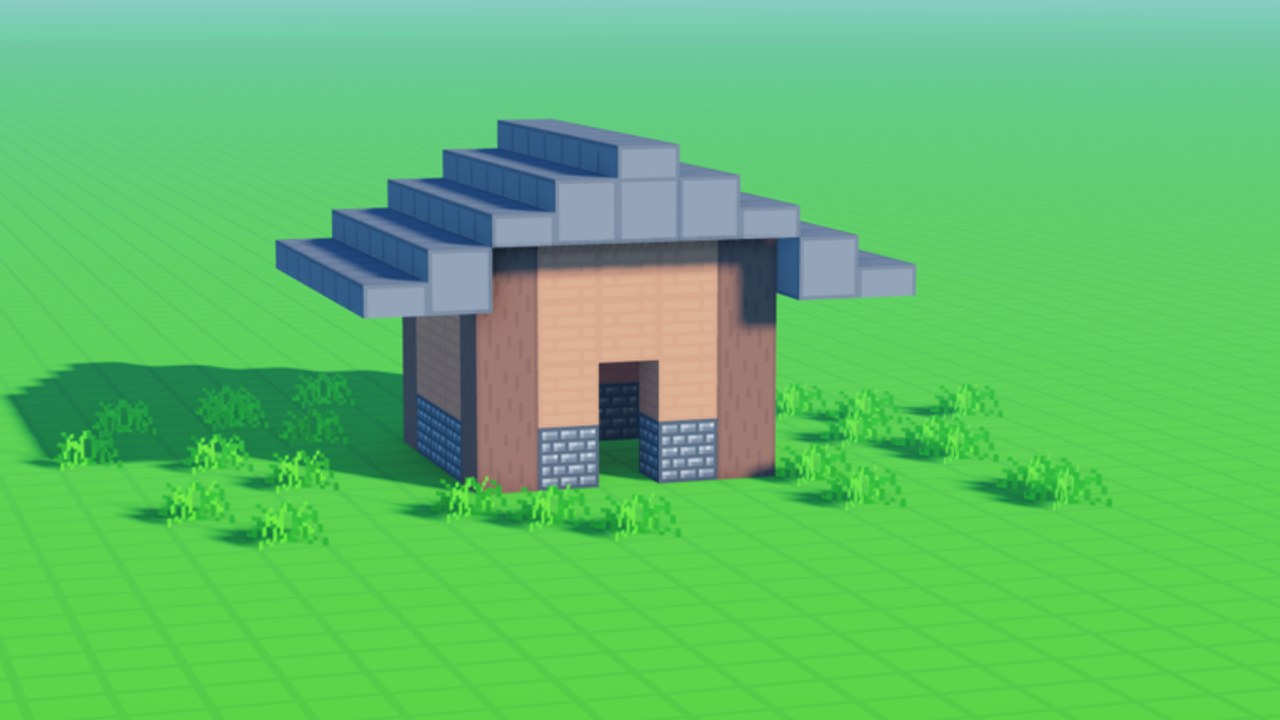
The Items Hub is your inventory-facing map for Voxel Block Builder by Goober Labs. Navigation still lives under the players category in the site structure, but the content here is about what you place, equip, and unlock—not a fighter roster. Start from the free loop: open Inventory, select a block, click or tap to place, then use a pickaxe to mine and revise. Everything below either expands that loop or frames it with companions and exclusive spaces.
What this hub covers
- Blocks — placement habits, mining edits, weekly free drops, and how paid packs fit.
- Block Packs — Rainbow Block Pack, Colored Glass Pack, and when free weekly blocks are enough.
- Pets — Verity Pets, including unlocking Verity and the roll/follow behavior when equipped.
- Blue Dimension — the exclusive blue dimension area tied to the 29 Robux Game Pass.
If you need rankings instead of encyclopedic detail, jump to the Tier List Hub, especially Game Pass Tier and Block Pack Tier. For step-by-step play, use Getting Started, How to Build, Building Ideas, and Controls.
Blocks at a glance
Blocks are the primary “items” in this sandbox. Free sets grow through weekly new blocks, while Rainbow Block Pack (199) and Colored Glass Pack (89) accelerate specific looks. Mining is not a separate combat skill—it is how you correct mistakes and sculpt negative space. Players who treat the pickaxe as a first-class tool finish cleaner landmarks. Deep dive on the blocks page, and track drops on Weekly Blocks.
Personal Worlds are where block collections become lasting galleries. Public servers support online co-op up to 18 players, which is perfect for jam sessions, but temporary plots should not be your only backup. Read Personal Worlds before a marathon build.
Pets at a glance
Verity Pets add a companion layer. Unlock the Verity pet, equip it, and it rolls and follows you around builds. Pets do not place blocks for you; they change the social and screenshot energy of a session. Pair the pets page with the narrative Verity Pets guide and the Verity update notes.
Dimension items and spaces
Not every unlock is a block in the hotbar. The Blue Dimension Game Pass (29) opens an exclusive blue dimension area—a space item as much as a cosmetic theme. It is one of the cheapest ways to change where you create. Full notes live on Blue Dimension and inside Game Passes.
Other passes alter how you move through item space rather than adding catalog rows: Fly Ability [OP] (299) with F / mobile fly, 2x Sprint Speed (49), and Bombastic Pickaxe (99) with 2x mining distance. Those belong in pass guides and tier lists, but they change how every block item feels in the hand.
Suggested reading order
- Blocks — master Inventory and pickaxe.
- Block Packs — decide Rainbow vs Glass vs free weekly.
- Getting Started — confirm day-one goals.
- Pets — add Verity when you want a companion.
- Blue Dimension — decide if exclusive space fits your theme.
- Tier lists — spend Robux with a plan.
- Build Checklist — execute the next landmark.
- Patch Notes — stay aligned with live drops.
- Codes — check for freebies (often none).
- Official Links — open the Roblox experience.
How items interact in co-op
On a full public server, eighteen builders can flood a plot with conflicting palettes. Assign roles: one player focuses structure blocks, one handles glass accents, one scouts with sprint or fly, and someone keeps Verity equipped for the group screenshot at the end. Hosts should pull the best ideas back into a Personal World so the item work survives the server recycle.
Quality over catalog panic
You do not need every pack to make a memorable scene. Restraint reads as style. Pick a limited free palette, place deliberately, mine cleanly, and only then unlock Rainbow, Glass, or Blue Dimension to solve a concrete gap. The Block Pack Tier List exists to stop panic buying.
When new weekly blocks land, walk your Inventory once, tag favorites mentally, and try them on a small test pad before remodeling your main castle. That habit keeps the Items Hub useful instead of overwhelming.
Bookmark this page as your reset point whenever the store, a pet unlock, or a dimension pass changes your priorities. Items are only as good as the builds you finish and save—so leave the hub, place something real, and come back when your Inventory questions get specific.
Frequently Asked Questions
Quick answers about Voxel Block Builder on Roblox.
Why is this called Items Hub if the category is players?
The site category key stays players for routing, but the English title and nav use Items because Voxel Block Builder is an inventory-and-build sandbox, not a character fighter list.
What items should beginners learn first?
Free blocks via Inventory placement and pickaxe mining. Add Verity Pets or Game Passes after Personal Worlds and basic building feel comfortable.
Do pets give building bonuses?
Verity is a companion that rolls and follows when equipped. Treat pets as presentation and fun, not as a substitute for blocks or passes.
Where do I compare paid packs?
Use the Block Pack Tier List and Game Pass Tier List under the Tier List Hub, plus the Game Passes guide for full context.