Voxel Block Builder Build Checklist
A repeatable session loop for inventory, Passes, weekly blocks, Verity Pets, and cleaner Personal World builds.
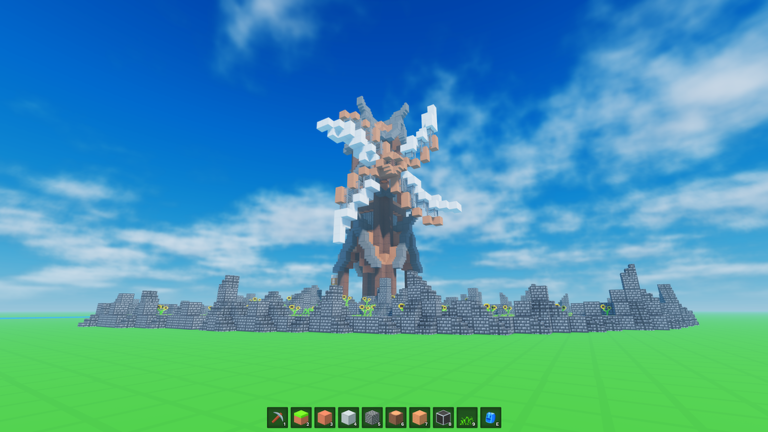
Use this Build Checklist whenever you open Voxel Block Builder for more than a five-minute dabble. It turns vague “I should build something” energy into a sequence that protects time, Robux, and Personal World saves. The checklist assumes the game is released, Goober Labs continues weekly block drops, and Verity Pets plus official Passes are the supported power-ups—not third-party scripts.
Print it mentally. Run it top to bottom. Skip steps only when your session goal is truly tiny.
0. Set one sentence goal
Write (or whisper) a single outcome:
- “Finish the north wall of the castle in my Personal World.”
- “Test this week’s new blocks on a throwaway pad.”
- “Terraform a pond and frame it with Colored Glass.”
- “Photograph three façades for a future palette.”
If you cannot name the outcome, you will wander public servers until the session evaporates. Goals also stop you from buying every Pass “just in case.”
1. Choose the venue
- Personal Worlds — default for anything you refuse to lose.
- Public servers — fine for social building, roleplay, or temporary experiments (max player counts can make crowded plots noisy).
- Update sandbox mindset — after reading Updates, test new voxels away from your masterpiece.
Link your launch path from Official Links so you never land on a lookalike experience.
2. Inventory prep
Before placing the first block:
- Open inventory and confirm the blocks your goal needs.
- Separate structural voxels from decorative accents.
- Note any weekly blocks you still need to unlock or find.
- Unequip clutter tools you will not use this session.
- If Verity Pets distract precision placement, unequip the pet until the detail pass.
Cross-check names and roles on Items when you are unsure what a new block is for.
3. Pass loadout (buy with intent)
Only enable what the goal demands:
| Goal type | Pass to consider |
|---|---|
| Tall builds, roof work, aerial survey | Fly |
| Long walks across a large world | 2x Sprint |
| Clearing hills, carving caves, redo sprawl | Bombastic Pickaxe |
| Façade color experiments | Rainbow Block Pack |
| Windows, greenhouses, light wells | Colored Glass |
| Mood / alternate space sessions | Blue Dimension |
If you do not own a Pass yet, try one session without it and reassess. Compare spend priority on the Tier List. Never “unlock” Passes through scripts—see Script Safety.
4. Site survey (five minutes max)
- Walk the plot boundary.
- Mark high ground and flood-prone low ground.
- Decide grid orientation (which way do roads or walls run?).
- Screenshot the empty or mid-progress state for rollback inspiration.
- Clear junk piles with Bombastic Pickaxe only after you are sure they are junk.
5. Mid-session build loop
Repeat until the goal sentence is true:
- Place a structural pass (floors, walls, pillars).
- Place a void pass (doors, windows, courtyards).
- Place a detail pass (trim, glass, rainbow accents).
- Mine mistakes immediately; do not “fix later” an entire wrong wing.
- Every 15–20 minutes, pause and evaluate silhouette from a distance (Fly helps).
- If energy drops, stop at a clean seam—not mid-wall.
6. Social / roleplay extras
Building with friends? Assign roles: one terraforms, one shells walls, one details. Agree that Personal Worlds owners control final saves. Do not share account logins to “help build faster.”
7. Codes and rewards check
Before you log off creative flow, peek at Codes. Many periods show zero active codes—that is normal. Never trust external “code generators.” Only redeem inside the real experience.
8. Close-out (hand off to World Save Checklist)
When the goal is done or the seam is clean:
- Holster destructive tools.
- Re-equip Verity Pets if you want them for a victory lap screenshot.
- Capture two angles for your records.
- Run the full World Save Checklist if you used Personal Worlds.
- Note next session’s first action in a sticky or screenshot caption.
9. Anti-patterns to avoid
- Starting a megabase on a public server you cannot save
- Buying every Pass in one evening without a project
- Mixing Bombastic Pickaxe clearing with undecided layouts
- Chasing auto-place / auto-mine script claims instead of this loop (Working Scripts overview)
- Ignoring weekly blocks until you rebuild a finished wall with outdated materials
10. Example 45-minute session
Goal: “Frame a greenhouse wing with Colored Glass in Personal World.”
- Minutes 0–5: inventory + confirm Colored Glass Pass + uneqip pet.
- Minutes 5–10: survey pad, set grid, screenshot.
- Minutes 10–30: place frame and glass panels; Fly for roof alignment if owned.
- Minutes 30–40: detail trim with weekly accent blocks.
- Minutes 40–45: screenshots + World Save Checklist.
No scripts required—just sequence.
Keep learning
New to controls? Read Getting Started. Want hub context? Return to Tools Hub. Tracking pets and block identity? Use Items. After patches, skim Updates before repeating this checklist on a crown-jewel world.
Master builders in Voxel Block Builder are rarely the players with the riskiest helpers; they are the players who run the same calm checklist until the silhouette looks inevitable. Keep this page handy, buy Passes on purpose, and let weekly blocks become ingredients—not emergencies.
Frequently Asked Questions
Quick answers about Voxel Block Builder on Roblox.
How often should I run the Build Checklist?
Run it at the start of every serious session. For quick public-server experiments, use a shortened version focused on goal, inventory, and exit screenshots.
Which Pass should I buy first for building?
It depends on your projects: Fly for vertical work, Bombastic Pickaxe for terraforming, color Passes for façades, and 2x Sprint for large Personal Worlds. Compare options on the Tier List.
Should I keep Verity Pets equipped while detailing?
If the companion distracts precise placement, unequip during detail passes and re-equip for screenshots or casual play.
Does this checklist include script macros?
No. It is an in-game planning workflow. For risks around auto-place claims, read Script Safety instead.