Voxel Block Builder Personal Worlds Save Checklist
Protect Voxel Block Builder creations across disconnects, weekly updates, and ambitious terraforming sessions.
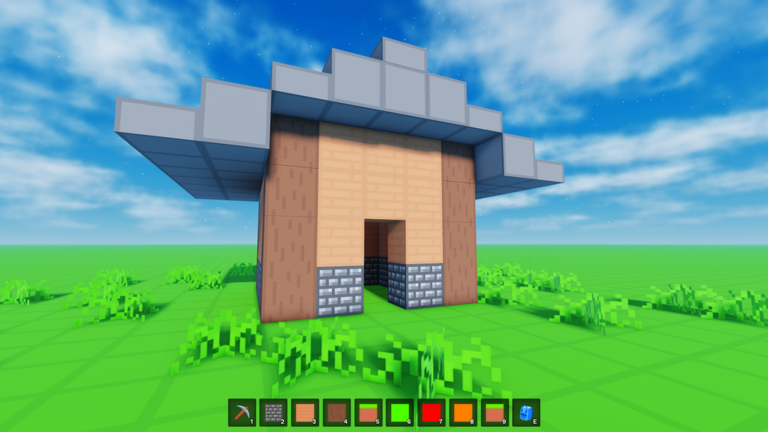
Personal Worlds are the difference between a disposable sandbox and a lasting Voxel Block Builder portfolio. This World Save Checklist helps you treat saves like a studio habit: confirm you are in the right world, checkpoint after risky edits, verify the world still loads, and document what changed. It pairs with the Build Checklist and assumes you prefer official Passes over unauthorized automation.
Goober Labs positions Personal Worlds as the feature for keeping creations. Public servers are great for social energy; they are a poor vault. If a build matters, it belongs in a Personal World—and that world deserves a closing ritual every session.
Why saves fail in practice
Players rarely lose work because the feature “does not exist.” They lose work because:
- They built on a public server and expected persistence that was never promised.
- They terraformed with Bombastic Pickaxe for an hour and disconnected mid-action without a mental checkpoint.
- They tested a weekly block update directly on the showcase plot.
- They trusted a third-party auto-place / auto-mine claim that desynced placement (Script Safety).
- They owned multiple worlds / plots in their head but saved the wrong one.
This checklist attacks those failure modes one by one.
A. Pre-flight (before you place or mine)
- Launch from the official experience via Official Links.
- Confirm you entered the intended Personal World, not a random public server.
- Stand still and look for landmarks you recognize from last session.
- If anything looks rolled back or empty, stop digging—verify you opened the correct world before “fixing” anything.
- Screenshot the spawn approach and the current skyline; these images are your poor-man’s version history.
- Read Updates on patch days before editing crown-jewel plots.
- Decide whether tonight is a destructive session (terraforming) or a constructive session (new wings). Avoid mixing both without a midpoint save pause.
B. Mid-session checkpoints
Set a timer if you must. Every 15–20 minutes—or after each completed wing:
- Holster the pickaxe.
- Walk a full loop around new geometry to confirm it is what you meant.
- Trigger / confirm the Personal World save behavior the game provides (use the in-experience save/exit flows—do not rely on rumor macros).
- Wait for any save confirmation UI or safe-exit pattern you recognize from prior successful sessions.
- Take a fresh screenshot from the same camera angle as your pre-flight shot.
- Only then start the next risky carve with Bombastic Pickaxe or a large demolition.
If Fly or 2x Sprint are active, remember movement speed makes it easier to accidentally wander into demolition zones—slow down near finished façades.
C. High-risk operations protocol
Run this mini-list before:
- Flattening a hill that supports existing builds
- Flooding an area for lakes or canals
- Recoloring an entire district with Rainbow Block Pack experiments
- Replacing structural walls with Colored Glass
- Trying Blue Dimension sessions that change how you navigate space
- Testing unverified community advice from Working Scripts overview feature claims (spoiler: skip the scripts; keep the Passes)
Protocol:
- Checkpoint save + screenshot.
- Perform the risky edit on a corner sample first.
- Evaluate.
- Checkpoint again.
- Scale the edit to the full region only after the sample works.
D. End-of-session verification
Do not alt-f4 the moment you feel done.
- Complete the current wall seam or clearly mark incompletes with a temporary block color.
- Unequip destructive tools.
- Save / exit using the normal Personal Worlds flow.
- Optionally rejoin the same Personal World immediately to verify the skyline matches your last screenshot.
- If verification fails, stop and note the time—do not rebuild blindly over a possible sync delay without checking Updates or retrying a clean join.
- Store screenshots in a local folder named by date and project (“2026-08-13-greenhouse”).
- Write next session’s first action in the screenshot filename or a note.
E. Multiplayer and sharing caution
- Agree who owns the Personal World before collaborating.
- Do not share passwords so friends can “save for you.”
- If you host, watch for grief-sized pickaxe swings near finished districts.
- After friends leave, run the end-of-session verification yourself.
F. Update-day variant
When weekly blocks or Verity Pets content ships:
- Skim Updates and Items.
- Open a secondary Personal World or a disposable corner as a lab.
- Test new blocks, pet behavior, and Pass interactions there.
- Only migrate successful ideas to the main showcase world.
- Run full end-of-session verification on both worlds if you touched both.
G. Recovery mindset (if something looks wrong)
- Do not spam place/mine hoping to force a refresh.
- Rejoin once cleanly.
- Compare against screenshots.
- Check whether you entered a different world or a public server.
- Avoid shady “restore tools” advertised as scripts—they are often stealers.
- Rebuild from the last known good screenshot using the Build Checklist.
H. Habit stack with the rest of the wiki
- Plan the session with Build Checklist.
- Track rewards on Codes (often zero active codes—still worth a glance).
- Rank Pass purchases on Tier List.
- Learn mechanics in Guides.
- Prefer Passes over injectors via Scripts Hub.
- Confirm destinations on Links.
Quick card (memorize)
Enter correct Personal World → screenshot → edit → checkpoint → screenshot → verify rejoin → note next step.
That single card prevents more heartbreak than any circulating auto-save myth.
Personal Worlds make Voxel Block Builder a long-term creative hobby instead of a coin-flip public lobby. Treat saves with the same respect you give limited blocks and Verity companions. Run this checklist until it feels automatic, and your future cities will still be waiting after the next weekly drop.
Frequently Asked Questions
Quick answers about Voxel Block Builder on Roblox.
Do public servers save my Voxel Block Builder creations?
Do not rely on public servers as a vault. Use Personal Worlds for projects you want to keep across sessions.
How often should I checkpoint a Personal World?
About every 15–20 minutes, and always before large terraforming or demolition with tools like Bombastic Pickaxe.
What should I do after a big update?
Test new weekly blocks in a disposable area or secondary world first, then migrate ideas to your main Personal World after verification.
Can scripts restore a lost world?
Be extremely skeptical. So-called restore scripts are common scam vectors. Use screenshots, careful rejoins, and official features instead.