Voxel Block Builder Verity Pets Explained
Unlock Verity, equip correctly, and enjoy the rolling companion plus update perks.
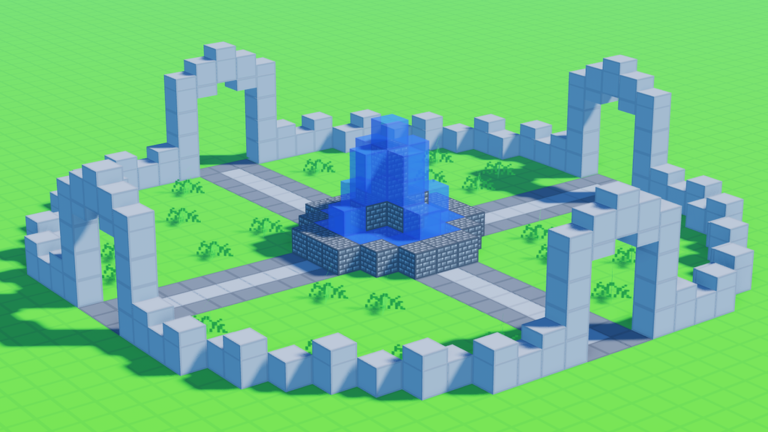
The Verity Pets update is one of the headline content drops for Voxel Block Builder by Goober Labs on Roblox. It introduces pet Verity, who rolls and follows you when equipped, ships new blocks, and includes quality-of-life improvements around the sandbox loop. This guide focuses on practical player actions: how to think about unlock and equip, how Verity behaves beside builders, and how to fold the update into Personal Worlds and public sessions. Patch narrative lives on Verity update; species context sits on pets.
What Verity actually does
When Verity is unlocked and equipped, the pet accompanies your avatar with a distinctive roll / follow movement style instead of standing still in the inventory. That makes pathways, ramps, and open plazas more fun—Verity reads best when you leave continuous ground rather than a forest of one-block pillars. If Verity is not visible, confirm equip state before assuming a bug.
Verity does not replace the core loop. You still open Inventory, select blocks, place with click/tap, and revise with the pickaxe. The pet is companion flavor plus update content, not a substitute for building skill. Brush up on fundamentals in Getting Started and how to build.
Unlock and equip checklist
- Update / rejoin Voxel Block Builder so you are on the Verity-enabled version.
- Complete whatever in-experience unlock or claim flow the update provides (follow on-screen prompts).
- Open the pet / companion UI and equip Verity.
- Move across open ground to confirm the roll/follow behavior.
- Optional: build a looping path in a Personal World as a showcase track.
If menus moved during QoL work, rejoin once and check settings clusters—the same advice we give for codes UI on how to redeem.
New blocks and palette planning
Verity’s update bundle includes new blocks. Treat them like a mini seasonal set:
- Add them to a swatch wall before redesigning your whole city.
- Pair one new block with two familiar materials for readable contrast.
- Catalog names and roles on the blocks page as you learn them.
- Continue watching weekly blocks if you like/favorite for ongoing drops outside the pet patch.
QoL tweaks may smooth inventory browsing, placement feel, or HUD clarity. If something feels different after the patch, spend five minutes in a sandbox pad recalibrating—muscle memory returns quickly.
Building with a rolling pet in mind
Friendly terrain
Gentle slopes, wide avenues, and closed loops let Verity shine. Hairpin one-block tightropes look cool for parkour but photograph poorly with a rolling follower.
Photo spots
Create a stage with complementary colors (glass accents from Colored Glass Pack if you own it) and leave a clear runway. Fly users with Fly Ability [OP] should still land for pet shots so Verity stays framed.
Co-op etiquette
On public servers (max 18), pets add visual noise. Give neighbors space near detailed micro-builds. In Personal Worlds, invite friends for a pet parade once your path is ready.
How Verity intersects other systems
- Game Passes — none are required to enjoy Verity. Fly and sprint change how you tour with the pet; packs change the stage dressing. See Game Passes and Game Pass tier list.
- Blue Dimension — separate content lane at 29 Robux; do not confuse dimension access with pet unlock (Blue Dimension).
- Codes — the Codes Hub still reports no reliable active codes. Do not expect a random string to spawn Verity. Keep finding new codes bookmarked for true promos only.
- Controls — equip shortcuts and camera notes live on controls.
- Tools — plan pet stages with the build checklist and protect them with the world save checklist.
Troubleshooting
| Issue | Try this |
|---|---|
| Pet not visible | Confirm equipped; rejoin; move onto open floor |
| Pet stuck on geometry | Widen paths; mine traps; avoid one-block cages |
| Update content missing | Ensure you launched the correct place ID; rejoin after patch |
| Inventory feels different | QoL shift—relearn slots on a test pad |
| Heard about “pet scripts” | Avoid; read scripts safety notes |
Suggested Verity session (30–40 minutes)
- Equip Verity and verify follow behavior (5 min).
- Build or repair a loop path (15 min).
- Place two new update blocks as mile markers (10 min).
- Screenshot + Personal World save (5 min).
- Optional public server stroll to show friends (variable).
Official channels for patch follow-ups: official links. Broader guide map: Guides Hub.
Verity turns commute paths into entertainment. Equip the pet, give it ground worth rolling across, and let the new blocks accent the route—then save the stage so tomorrow’s login starts with a parade instead of an empty lobby.
Frequently Asked Questions
Quick answers about Voxel Block Builder on Roblox.
What makes Verity different from a static cosmetic?
When equipped, Verity rolls and follows your avatar, so open paths and loops show the pet best.
Do I need a Game Pass to unlock Verity?
No. Verity comes from the Verity Pets update content. Passes are optional and separate purchases.
Where can I read the patch overview?
See the Verity update page for patch-focused notes, and the pets page for companion context.
Can codes spawn Verity right now?
There are no reliable active codes at this time. Unlock and equip through the update’s normal in-game flow.
Should I showcase Verity in public or Personal Worlds?
Both work. Personal Worlds are better for a permanent parade path; public servers are better for showing friends live.